GIF Maker Guide 2026: Best AI & Online Tools Explained
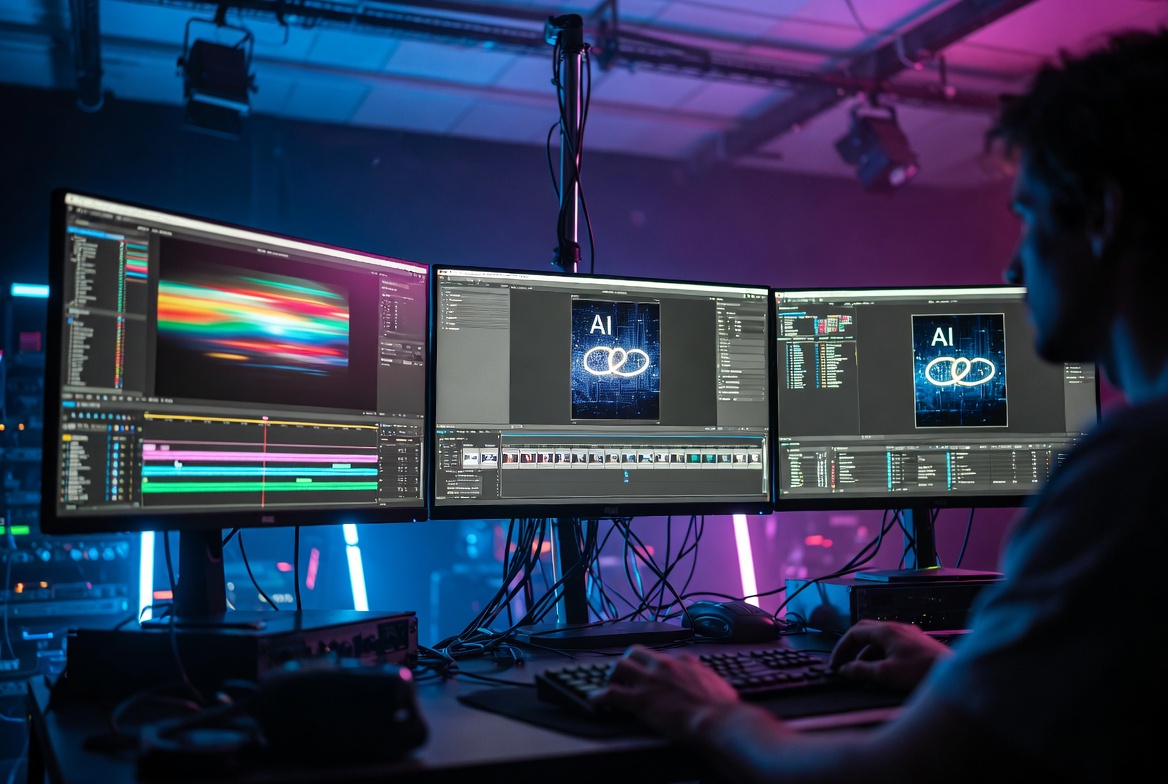
In the fast-moving world of digital content, a gif maker has become far more than a simple conversion utility. It sits at the intersection of software innovation, AI-driven automation, and everyday communication. From short reaction loops in messaging apps to polished product demos in marketing emails, animated GIFs remain one of the most reliable, universally supported formats for motion on the web. A contemporary gif maker turns static images, video clips, screen recordings, or even text prompts into looping animations that load quickly, play without plugins, and work across nearly every platform.
I’ve spent considerable time testing dozens of these tools in real production settings—optimizing marketing assets for email campaigns, building internal documentation GIFs, and experimenting with AI generation for social content. What follows is a practical, technology-focused guide grounded in those observations, current capabilities in 2026, and the underlying systems that make modern gif makers effective. Whether you create content for social platforms, build product demos, or design marketing assets, understanding how these tools actually work helps you produce better results with less friction.
This article examines gif maker technology from a practical, forward-looking perspective. We will explore how these tools function, the digital systems that power them, real-world applications, comparisons with traditional methods, limitations, safety considerations, and where the technology is headed as generative AI matures.
What Is a GIF Maker in Modern Technology?
A gif maker is software—browser-based, desktop, mobile, or AI-powered—that creates, edits, optimizes, or generates Graphics Interchange Format (GIF) files. The GIF format itself dates to 1987, when Steve Wilhite and his team at CompuServe introduced it as an efficient way to exchange images using limited color palettes and lossless compression via the LZW algorithm. Animation support arrived with the GIF89a specification, which added multiple frames, transparency, and looping capabilities.
Today’s tools go well beyond those original constraints. They handle high-resolution source material, apply intelligent compression, integrate AI for generation and editing, and export optimized files suitable for email, Slack, Discord, websites, and social feeds. Some focus on precise video-to-GIF conversion. Others generate entirely new animations from text descriptions or static images using diffusion models and video synthesis. Still others specialize in screen recording, frame-by-frame drawing, or product-demo capture.
The core value remains accessibility and universality. Unlike many video formats that may require specific codecs or user interaction, a well-made GIF plays automatically in most browsers and apps. File size is still a practical constraint (especially for email and messaging), so modern tools emphasize palette optimization, frame deduplication, and smart compression while preserving visual quality.
In 2026 the category has expanded dramatically. AI-powered options can turn a single product photo into a short looping demonstration or transform a text prompt into a unique animated scene. Traditional converters still dominate when precise control over existing footage is required. Hybrid platforms combine both approaches with collaborative editing, templates, and brand-asset libraries.
How a GIF Maker Actually Works
Understanding the mechanism clarifies why certain tools excel at specific tasks and where quality trade-offs appear. Here’s the process broken down in both technical and plain-language terms.
Source Input and Frame Extraction
Most workflows begin with one of four inputs: a video file (MP4, MOV, WebM, etc.), a sequence of still images, a screen recording or live capture, or a text prompt/reference image for generative tools.
For video or screen capture, the tool extracts frames at a chosen rate—commonly 8–15 frames per second. Higher rates increase file size with diminishing visual returns for most use cases. In practice, I’ve found that 10–12 fps often strikes the best balance for UI demos and product loops. Many tools also let you trim the source so only the relevant segment is processed.
Color Palette and Quantization
GIF supports a maximum of 256 colors per frame (or a global palette across the animation). Modern tools use sophisticated algorithms to select the most representative colors while minimizing banding and dithering artifacts. Techniques such as perceptual quantization and temporal differencing (analyzing changes between frames) produce cleaner results than older methods.
In plain terms: the software looks at the colors actually used in your frames, picks the 256 that matter most, and carefully distributes the remaining colors so the eye sees less harsh transitions. Advanced tools generate a custom palette per frame or ignore static backgrounds—especially useful for screencasts where the UI chrome stays the same.
Animation Assembly and Timing
Frames are sequenced with individual delay times. Users can set uniform timing or vary it for emphasis. Loop count is configurable—infinite for most social use, or a finite number for email and presentations. Some tools flatten PowerPoint animations or CSS transitions into discrete frames so the final GIF preserves the intended build sequence.
Optimization and Compression
File size is critical. Effective tools apply frame deduplication (removing unchanged regions), optional lossy compression, resolution scaling, and cropping of unnecessary borders. In real testing, command-line utilities and high-end desktop tools often outperform basic online converters because they implement better temporal analysis. Browser-based tools have improved significantly through client-side processing with WebAssembly and canvas APIs, which also reduces privacy concerns and upload delays.
Generative AI Pipelines
AI-native tools follow a different path. A text prompt or reference image feeds into a video-generation model. The model synthesizes short motion sequences with temporal consistency. Post-processing then converts the output into an optimized GIF, often with controls for loop perfection, style consistency, and subject isolation. Background removal using machine-learning segmentation enables transparent GIFs without manually masking every frame.
From prompt to downloadable file, the pipeline can finish in seconds to a couple of minutes depending on model complexity and resolution. In practice, the best results still benefit from a quick human review for timing and brand alignment.
Key Features of Contemporary Tools
Modern gif makers share practical capabilities that distinguish them from earlier software:
- Video-to-GIF conversion with trim, crop, speed, and frame-rate controls
- Frame-by-frame editing for precise adjustments, text overlays, stickers, and captions
- AI generation from text or images, including style transfer and motion synthesis
- Optimization suites that reduce file size while monitoring visual quality
- Transparency and background removal powered by AI subject detection
- Template libraries and brand kits for consistent marketing assets
- Screen recording with automatic zoom or cursor highlighting for tutorials
- Batch processing and collaboration features in professional platforms
- Export options beyond GIF (animated WebP, APNG, MP4 loops) when platforms support them
- Privacy-focused processing that keeps files on-device or in secure environments
These features address the core needs: creating something quickly, maintaining quality under size constraints, and producing original content rather than relying solely on existing libraries.
Real-World Applications and Modern Use Cases
GIF makers solve concrete problems across personal, professional, and commercial contexts.
Social media and messaging. Reaction GIFs remain a core language of online conversation. Creators use these tools to turn personal clips, memes, or AI-generated scenes into shareable loops for Discord, Slack, iMessage, and social platforms.
Marketing and product demos. Short looping demonstrations of software interfaces, physical products, or feature highlights perform well in emails, landing pages, and ads. Because many email clients block or poorly support video, an optimized GIF remains the reliable motion format. In production workflows I’ve observed, teams capture UI flows, edit sensitive data out of frames, and export lightweight loops that load instantly.
Education and documentation. Tutorial creators convert screen recordings into step-by-step GIFs that illustrate processes without requiring viewers to press play. Internal knowledge bases and README files benefit from the same approach.
Design and motion graphics. Designers prototype micro-interactions, test animation timing, or generate social assets. AI tools lower the barrier for non-specialists while professional software still serves high-end needs.
Free vs paid and browser vs desktop considerations. Free online tools excel for quick conversions and casual use but often impose file-size limits or watermarks. Paid or desktop options typically offer better optimization, higher resolution, batch processing, and privacy. Mobile apps handle simple capture and light editing well for on-the-go needs. Choosing depends on whether speed, quality, privacy, or volume matters most for your workflow.
Industry examples illustrate the range. E-commerce brands generate product-rotation or feature-highlight GIFs at scale. SaaS companies embed interface demos in onboarding sequences. Independent creators produce original AI-assisted art loops that circulate widely.
Benefits of Using a Modern Tool
Compared with older manual methods or pure video, contemporary options deliver several advantages:
Speed and accessibility. What once required specialized software and hours of frame-by-frame work now takes minutes. Browser-based and AI tools remove installation barriers.
Universal compatibility. GIFs play in environments where video may fail or require extra user action.
File-size efficiency for short loops. Properly optimized files remain practical for constrained channels even if larger video files look better in isolation. In testing, aggressive but careful optimization routinely cut file sizes by 40–60 % with minimal visible quality loss for typical social and email use.
Creative democratization. Generative features let non-artists produce unique motion content. Template systems help maintain brand consistency without deep design skills.
Workflow integration. Many tools connect to design platforms, content-management systems, or collaboration suites, reducing context switching.
Privacy options. Client-side processing tools avoid uploading sensitive footage to third-party servers—an important consideration for proprietary product demos or internal recordings.
Limitations and Practical Constraints
No technology is perfect. These tools inherit the format’s inherent limits and introduce their own.
Color depth and quality. The 256-color ceiling produces banding or dithering on photographic or gradient-heavy material. Animated WebP or short MP4 loops often look cleaner when platforms support them.
File size vs length trade-off. Longer or higher-resolution animations grow quickly. Aggressive compression can introduce artifacts. Best practice keeps loops short (2–6 seconds) and trims ruthlessly.
Lack of audio. GIFs are silent by design. Sound requires video formats.
Generation consistency. AI tools sometimes struggle with precise temporal coherence, text rendering, or exact brand colors. Human review and refinement remain necessary for professional work.
Platform policies. Some social networks recompress or convert uploaded GIFs, affecting final quality. Email clients vary in support for transparency and large files.
Computational cost. High-quality AI generation consumes resources. Free tiers often limit daily generations or resolution.
Understanding these constraints helps users choose the right tool and set realistic expectations. Common beginner mistakes include exporting at unnecessarily high frame rates, failing to crop excess borders, and skipping optimization entirely—issues that are easy to avoid once you know the levers.
How Modern Tools Differ from Traditional and Alternative Solutions
Traditional approaches involved manual frame assembly in early versions of image editors or specialized animators, followed by careful palette reduction. The process was time-intensive and required technical knowledge of the format.
Video editors can export GIF, but they are often overkill for short loops and may lack format-specific optimization. Pure search libraries excel at discovery but do not create original content.
Emerging alternatives include animated WebP, APNG, AVIF animation, and Lottie (vector-based JSON). These often deliver superior quality and smaller files, yet GIF retains the broadest compatibility—especially in email, older systems, and certain messaging environments. Many modern tools therefore offer multi-format export so creators can choose the best delivery vehicle for each channel.
AI video generators produce higher-fidelity motion that can be converted to GIF as a final step. The specialized layer then handles the format-specific optimization that pure video tools may overlook.
Safety, Reliability, and Best Practices
Is a gif maker safe and reliable? For most reputable tools the answer is yes, provided users follow basic precautions.
Privacy. Prefer client-side or clearly documented secure processing when handling confidential material. Review data-retention policies for cloud tools.
Malware and phishing. Stick to established platforms. Avoid obscure upload sites that request unnecessary permissions.
Copyright and originality. AI-generated content raises questions of training-data provenance and commercial rights. Always verify licensing for stock assets or generated outputs intended for commercial use. Creating original work from your own footage remains the safest path.
Performance reliability. Desktop and well-engineered web tools produce consistent results. Free online converters can vary with server load or impose file-size caps.
Best practices include starting with the highest-quality source possible, testing the final file on target platforms, keeping loops short, and providing a static fallback image for environments that disable animation. Performance tips that consistently help: target 10–12 fps for most UI content, crop tightly, use lossy optimization when subtle color loss is acceptable, and always check the final file size against platform limits (for example, Discord’s common constraints or email-client tolerances).
Who Should Use These Tools?
Almost anyone who communicates visually online benefits:
- Content creators and social-media managers needing quick, engaging assets
- Marketers and product teams building demos and email campaigns
- Educators and technical writers illustrating processes
- Designers prototyping motion or generating social graphics
- Developers embedding lightweight animations in documentation or interfaces
- Casual users turning personal videos into shareable reactions
Professional motion designers may still prefer specialized animation software for complex projects, using these tools primarily for final delivery optimization. Beginners and non-specialists gain the most from AI-assisted and template-driven options.
Future Potential and Innovation Trends
The trajectory points toward deeper AI integration, better cross-format intelligence, and tighter workflow embedding.
Generative models continue improving temporal consistency, resolution, and controllability. Expect more precise text-to-GIF systems that respect brand guidelines, character consistency across frames, and multi-shot storytelling within short loops. Hybrid tools will let users start with AI generation, then refine timing, color, and composition with traditional editors in the same interface.
Automation will expand: batch generation of product variants, personalized motion assets based on user data, and real-time conversion inside content platforms. Email builders and design systems may incorporate native motion generation so marketers never leave their primary tool.
Format evolution will matter. As support for animated WebP, AVIF, and efficient video loops broadens, specialized tools will increasingly serve as intelligent exporters that choose or generate the optimal delivery format while retaining GIF as the universal fallback.
Ethical and practical considerations—transparency about AI involvement, energy efficiency of generation models, and accessibility of motion content—will shape responsible development. Tools that prioritize creator control, clear licensing, and efficient processing are likely to lead.
In short, the gif maker is evolving from a conversion utility into a creative production layer within the broader digital content stack. The format’s longevity is no longer surprising; the tools that produce it are becoming smarter, faster, and more integrated with the rest of modern software.
FAQ Section
What is a gif maker in technology? A gif maker is software or an online service that creates, edits, or generates animated GIF files from video, images, screen recordings, or AI prompts. It handles frame extraction, color quantization, timing, optimization, and export so the resulting file plays as a looping animation across most digital platforms.
How does a gif maker work? It extracts or synthesizes a sequence of frames, reduces colors to a suitable palette (maximum 256), assigns timing delays, applies compression and optional effects, then packages everything into the GIF container. AI variants use generative models to create the frames from text or reference images before the same optimization steps. In practice, the quality of the final file depends heavily on source material, chosen frame rate, and the sophistication of the optimization algorithms.
Is a gif maker safe or reliable? Reputable tools from established providers are generally safe. Choose platforms with clear privacy policies, prefer on-device processing for sensitive content, and avoid unknown upload sites. Reliability depends on the tool’s engineering; well-maintained desktop and major web services produce consistent results.
Who should use a gif maker? Anyone needing short, auto-playing motion content—social creators, marketers, educators, product teams, designers, and casual users. Professionals use them for delivery optimization; beginners benefit from templates and AI assistance.
What are the latest updates or future developments? In 2026, AI generation from text and images has become mainstream, background removal is largely automated, and optimization algorithms continue improving. Future directions include stronger temporal consistency, multi-format intelligent export, deeper integration into design and email platforms, and more controllable generative systems.
What are common problems or misconceptions? A frequent misconception is that GIFs are obsolete. They remain highly practical for compatibility. Common problems include oversized files (solved by aggressive trimming and optimization), quality loss on photographic material (sometimes better served by short video), and inconsistent AI output (addressed by iteration and human refinement). Beginners often overlook frame-rate and cropping choices that have outsized impact on final size and clarity.
How is a modern gif maker different from older solutions? Older tools required manual frame assembly and limited optimization. Contemporary versions add AI generation, intelligent compression, screen-capture workflows, collaboration features, and multi-format export while preserving the universal playback advantage of the GIF format.
Conclusion
A modern gif maker represents a mature yet still-evolving piece of digital infrastructure. It bridges decades-old format constraints with today’s AI capabilities, automation, and multi-platform demands. By turning video, images, or prompts into compact, universally playable loops, these tools solve real communication problems for individuals and organizations alike.
The technology works by extracting or generating frames, applying sophisticated color and temporal optimization, and delivering files that balance quality against size and compatibility. Benefits include speed, accessibility, and creative reach; limitations center on color depth, file size, and the occasional need for human oversight of AI results. Real-world use spans social reactions, marketing demos, education, and design prototyping.
Looking ahead, deeper generative models, smarter format selection, and tighter integration into everyday creative workflows will expand what these tools can do. For tech-oriented users and content teams, the practical next step is straightforward: identify the primary use case (conversion, generation, screen capture, or design), test two or three current options against that need—paying attention to optimization quality and privacy—and incorporate optimized GIFs where motion improves clarity or engagement without sacrificing load performance.
The core takeaway is simple: when you need short, auto-playing motion that works almost everywhere, a well-chosen gif maker remains one of the most practical tools in the modern digital toolkit.
Share this content:

Post Comment