Graphic Maker: How AI-Powered Design Tools Work in 2026
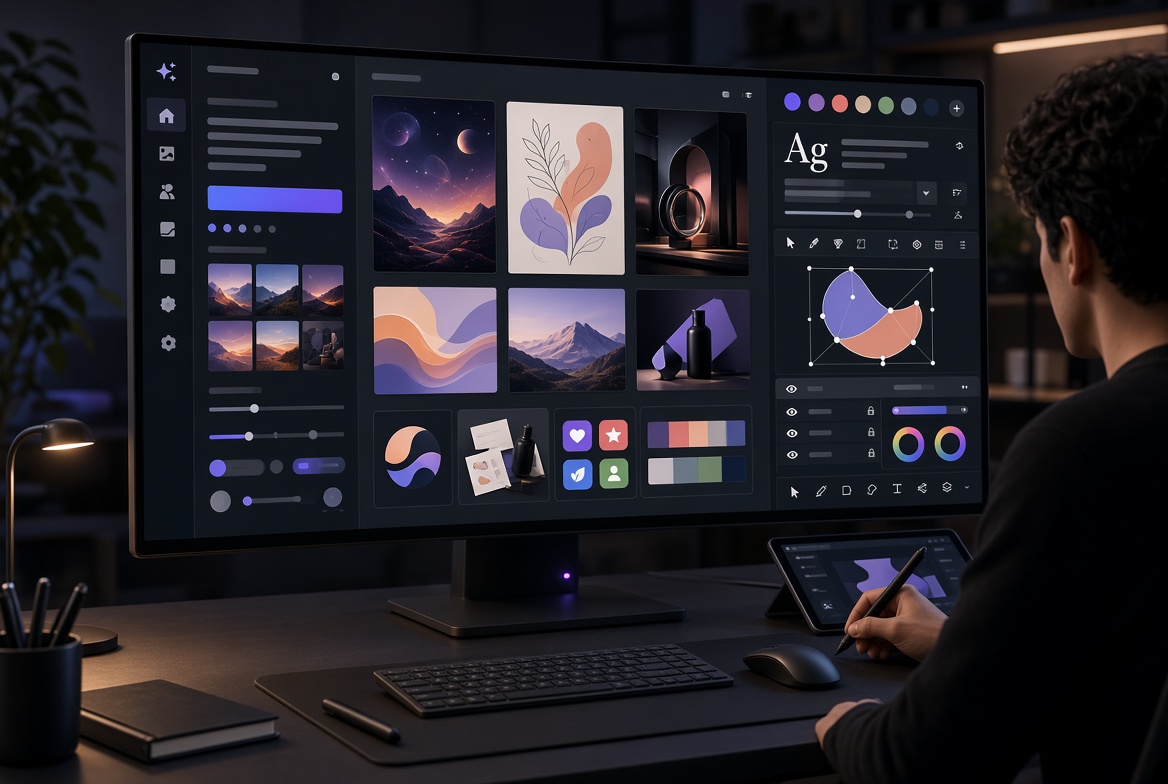
A modern graphic maker helps people create visual designs—social graphics, product mockups, icons, posters, presentations, logos, UI elements, and brand assets—without always starting from a blank canvas or requiring years of specialized training. In 2026 the strongest examples combine generative AI, template systems, brand controls, editing tools, and export options into practical production platforms.
This article explains the technology, shows how these systems actually function, examines real use cases, outlines clear selection criteria, and reviews seven widely used tools according to their documented strengths. The goal is practical usefulness: helping readers understand what a graphic maker can do, where it falls short, and how to choose and apply one effectively.
The analysis draws on publicly documented platform features, licensing information, and consistent patterns reported across independent evaluations and official product materials available in 2026. It does not claim private laboratory testing of every model on identical prompts; instead it organizes the landscape so readers can make informed decisions based on their own workflows.
What Is a Graphic Maker?
A graphic maker is software or a web-based platform designed to produce visual content. Earlier generations relied primarily on drag-and-drop interfaces, stock libraries, and pre-built templates. Users assembled designs by choosing layouts, placing text, inserting images, and adjusting colors manually.
Contemporary graphic makers expand that foundation with generative capabilities. Users can describe a desired result in natural language, supply a reference image or brand kit, or start from a template and then refine with AI assistance. The output may be a finished raster image, an editable vector file, a multi-layer design ready for further work, or a set of variations sized for different platforms.
Importantly, a graphic maker is not synonymous with a pure AI image generator. Many systems blend generation with conventional design features: typography controls, layout grids, collaboration tools, brand kits, Magic Resize functions, and direct export to social or print formats. This combination is what makes them useful for everyday production rather than only for experimental concept art.
People search for “graphic maker” when they need speed, accessibility, brand consistency, or lower cost for recurring visual work. The technology exists because the demand for visual content across websites, social channels, advertising, product interfaces, and internal communications has grown far faster than traditional design capacity.
How a Modern Graphic Maker Works
Many generative components inside graphic makers rely on diffusion-style or related architectures. At a high level the process works as follows.
Large models are trained on extensive collections of images paired with descriptive text. During training the system learns to progressively add noise to real images until they become pure static, then reverse that process. When generating new content the model starts with random noise and iteratively removes noise while being guided by the user’s prompt and any additional conditioning signals such as style references or brand parameters. The result is a coherent image that aligns with the request.
A language model first converts the text prompt into a mathematical representation that encodes objects, relationships, style, composition, lighting, and mood. This conditioning steers the denoising steps. Many systems operate in a compressed latent space for efficiency and then decode the final high-resolution image.
Beyond pure generation, practical graphic makers add layers of design functionality:
- Automatic background removal and generative fill or expand
- Brand-kit enforcement that applies approved colors, fonts, and logos
- Multi-format resizing and adaptation
- Layer or vector export for further editing
- Collaborative workspaces, version history, and shared libraries
Not every tool is built the same way. Some emphasize high-aesthetic image generation. Others prioritize editable vectors, template-driven layouts, or tight integration with professional design software. The user experience therefore ranges from a simple prompt box to a full canvas with AI assistance layered on top of traditional controls.
Understanding this distinction helps set realistic expectations. Generation accelerates the creation of starting points and variations; human direction and editing still determine final quality, accuracy, and brand fit.
Key Features Worth Evaluating
When comparing graphic makers, focus on capabilities that affect real production rather than marketing claims:
Prompt and reference control How accurately does the system follow detailed instructions or match uploaded style references and previous assets?
Text rendering inside images Critical for posters, advertisements, packaging, thumbnails, and any design where words must be legible and correctly spelled.
Brand consistency tools The ability to lock colors, fonts, logos, and overall visual style so that multiple generations remain coherent.
Output formats Raster images only versus native editable SVG, layered files, or formats that open cleanly in professional editors.
Editing and refinement features Inpainting, outpainting, generative fill, object removal, and seamless hand-off to traditional design tools.
Commercial terms Training-data provenance, usage rights on free versus paid plans, watermark policies, and any contractual indemnification.
Collaboration and workflow integration Team brand kits, shared libraries, commenting, version control, API access, and compatibility with existing design systems.
Speed, pricing, and volume economics Credit systems, free-tier limits, cost at realistic monthly usage, and whether pricing scales reasonably for teams.
These criteria form a practical checklist. Different jobs weight the features differently, which is why a single “best” tool rarely exists.
Practical Use Cases Across Roles
Marketing and social media teams Generate campaign creatives, carousels, stories, ad variations, and platform-specific sizes. A solid brand kit plus clear prompts produces multiple on-brand options that can be reviewed and refined quickly. Magic Resize or multi-format tools reduce repetitive work.
Product and UI/UX teams Create icons, illustrations, early interface concepts, and design-system components. Platforms that keep outputs editable inside existing design files and support component libraries are especially useful.
Small businesses, founders, and solopreneurs Produce logos, packaging concepts, website hero images, presentation decks, and social assets without commissioning specialists for every piece. Consistency improves when brand parameters are defined once and reused.
Agencies and freelancers Accelerate concept exploration, mood boards, and client iterations. High-quality generators supply starting points that are then refined in professional software. Vector-capable tools reduce tracing and cleanup steps for logos and illustrations.
Internal communications, education, and research Produce diagrams, explainer graphics, and consistent visual language for reports, training materials, and presentations more rapidly than traditional illustration pipelines allow.
In each setting the technology reduces the time between idea and usable visual while still requiring human judgment for strategy, narrative, accuracy, and final polish.
Benefits Observed in Production Contexts
Speed remains the most immediate advantage. Routine assets that previously required hours of manual layout or illustration can emerge in minutes, freeing attention for higher-value decisions.
Accessibility expands. Non-designers can produce professional-looking results when brand rules are already encoded in the system. This does not eliminate the need for skilled designers; it changes their role toward creative direction, complex problem-solving, quality control, and system design.
Consistency improves when approved colors, fonts, logos, and style references are applied automatically across generations. Teams spend less time correcting off-brand outputs.
Cost efficiency appears for high-volume or repetitive work. Organizations reduce reliance on stock photography libraries and external freelancers for standard assets. Experimentation becomes cheaper because testing a visual direction no longer requires a full redesign cycle.
Integration multiplies value. Outputs flow into content calendars, design systems, e-commerce platforms, marketing automation, or developer hand-off pipelines. API access enables further automation for personalized or large-scale generation.
Limitations and Realistic Constraints
Results depend heavily on prompt quality and subsequent human review. Vague or poorly structured prompts produce generic or off-target images. Highly precise technical illustrations, exact product proportions, or measurement-critical diagrams often need additional editing.
Text rendering has improved on specialized models yet remains imperfect on many systems, especially with longer phrases, unusual fonts, or complex layouts.
Maintaining exact character, product, or style consistency across a long series of generations usually requires style references, fine-tuning techniques, or post-generation editing.
Photorealism can appear convincing at first glance while still containing subtle artifacts, lighting inconsistencies, or anatomical oddities under close inspection.
Commercial safety is not uniform. Platforms that train on licensed content and offer contractual IP indemnification reduce risk for client or brand work. Others permit commercial use on paid plans but leave liability with the user. Free tiers frequently impose additional restrictions or watermarks.
Over-reliance on generation can produce bland or formulaic aesthetics if teams stop injecting original creative direction. Credit-based pricing can become expensive at high volume. Local or open-weight models increase privacy and cost control but require technical setup and suitable hardware.
These constraints are manageable when teams treat generation as a powerful first draft rather than a finished deliverable.
Graphic Maker Versus Traditional Design Software
Professional vector and raster editors remain unmatched for precise control, complex multi-layer documents, advanced typography, print production, and final polish. They give designers granular command over every path, layer, and effect.
Template-based online editors lowered the skill barrier earlier by supplying ready layouts and asset libraries, yet still required manual assembly and limited generative capability.
AI-assisted graphic makers invert the typical starting point. Users describe desired outcomes or supply references and receive variations quickly. Iteration occurs through prompt refinement, guided editing, and selection rather than solely through manual construction.
The most effective current practice combines both worlds. Generate concepts, variations, and base assets rapidly with a graphic maker, then refine typography, layout precision, and final details in traditional software or hybrid platforms that support layers and native vectors. The technology augments expertise rather than replacing it.
How to Choose the Right Graphic Maker
Match the tool to the specific job instead of searching for a universal winner.
| Primary Need | Prioritize These Features | Tool Direction Examples |
|---|---|---|
| High-volume social & marketing | Templates, brand kits, multi-format resize, collaboration | Integrated design platforms with AI |
| Commercial client work with legal review | Licensed training data, IP indemnification, ecosystem integration | Professional suite generative features |
| Logos, icons, scalable brand assets | Native editable SVG, brand style locking | Vector-focused generators |
| Artistic concepts & mood boards | Aesthetic quality, style flexibility, rapid variation | High-end image generators |
| UI/UX and product design systems | Components, design-system integration, editable outputs inside existing files | Collaborative design platforms with AI |
| Readable text in posters & ads | Superior in-image text accuracy | Text-specialized models |
| Privacy or offline control | Local/open models, on-device options | Open-weight systems |
Additional factors include pricing at expected volume, required export formats, team collaboration needs, and compatibility with software the organization already uses. Start with the primary bottleneck—speed, consistency, commercial risk, or skill access—and test two or three candidates against real project briefs.
Named Tools and Practical Comparison
The following seven tools represent the major categories active in 2026. Descriptions reflect documented capabilities and consistent patterns reported in independent reviews and official materials.
Canva Magic Studio Well suited to marketing teams and non-designers who need finished social graphics, presentations, and multi-format assets. Strong brand-kit support, large template library, Magic Resize, and integrated AI generation make it efficient for recurring campaign work. Credit pools are shared across AI features.
Adobe Firefly Particularly useful when commercial safety and Creative Cloud integration matter. Models are trained on licensed Adobe Stock content and public-domain material. Eligible plans include IP indemnification for qualifying outputs, subject to terms and conditions. Generative features such as Generative Fill operate inside Photoshop, Illustrator, and related applications.
Midjourney Known for high aesthetic quality, distinctive visual style, and strong results in concept art, cinematic imagery, and mood boards. Less focused on layout tools or native vector export. Commercial terms depend on the plan.
Recraft Standout capability for native editable SVG vector output. Useful for logos, icons, illustrations, and brand assets that must remain scalable and editable in professional vector software. Supports brand styles and generally solid text rendering.
Ideogram Frequently noted for accurate, legible text rendering inside generated images. Valuable for posters, packaging concepts, advertisements, and any design where words must be correct and readable.
Leonardo AI Flexible for concept work, game assets, and custom model or style training. Offers useful free-tier credits and control options that support volume experimentation and consistency techniques.
Figma AI Embedded inside the collaborative design platform widely used by product teams. Generates UI elements, components, and early layouts that remain editable within design systems and support developer hand-off.
Quick Reference Comparison
| Tool | Best Suited For | Native SVG / Vector | Brand Controls | Strong Text in Image | Commercial Emphasis | Editing / Integration |
|---|---|---|---|---|---|---|
| Canva Magic Studio | Marketing & social volume | Limited / varies | Strong | Moderate | General commercial use | Strong templates & resize |
| Adobe Firefly | Brand-safe professional work | Strong ecosystem | Strong | Good | Licensed data + indemnity* | Deep Creative Cloud ties |
| Midjourney | Artistic concepts & mood | Limited | Moderate | Improving | Plan-dependent | Style-focused generation |
| Recraft | Logos, icons, scalable assets | Strong native SVG | Strong | Strong | Plan-dependent | Vector-first workflow |
| Ideogram | Text-heavy posters & ads | Varies | Moderate | Particularly strong | Plan-dependent | Generation focus |
| Leonardo AI | Concept, game, custom styles | Varies | Strong | Good | Plan-dependent | Canvas & model control |
| Figma AI | UI / product design systems | Ecosystem support | Strong | Moderate | Product workflow | Native design-file editing |
*Indemnification applies only on eligible plans and under specific conditions. Always verify current official terms.
These tools are complementary more often than mutually exclusive. Many teams use one system for rapid visual ideation, another for vector or brand-safe production, and a third for final layout and collaboration.
Commercial Licensing and Safety Considerations
Licensing and risk management deserve careful attention before any commercial deployment.
Adobe Firefly on qualifying Creative Cloud or Firefly plans provides contractual IP indemnification for eligible generated outputs, subject to exclusions such as modifications, combinations with other material, or prompts that violate guidelines. Training data is limited to licensed Adobe Stock and public-domain content. Free tiers and certain beta features typically do not carry the same protection.
Other platforms generally grant commercial usage rights on paid plans while placing primary liability on the user. Free tiers often restrict commercial use or apply watermarks. Content Credentials and similar provenance standards are becoming more common and help document origin.
Recommended practices include:
- Reviewing the exact terms of the plan in use
- Avoiding prompts that request protected brands, real people, or trademarked styles without authorization
- Maintaining human review of all public or client-facing outputs
- Documenting sources and generation parameters where relevant
- Preferring tools with clear commercial terms for high-stakes work
Commercial safety is a decision criterion, not an afterthought.
Getting Better Results in Practice
Clear, specific prompts produce better starting points. Include subject, composition, style, lighting, color palette, mood, and intended use. Supply style references or brand assets when consistency across multiple assets is required.
Generate several variations, select the strongest candidates, and refine them. Move promising results into a traditional editor or the platform’s own editing tools for typography, precise layout, product accuracy, and final adjustments.
For series of related assets, define and lock brand parameters early. Reuse successful style references. Test export quality at the actual sizes and formats needed for delivery. Track time saved and revision cycles so the organization can evaluate real productivity impact.
Treat the graphic maker as a fast collaborator that supplies options, not as an autonomous designer that delivers finished work without oversight.
Future Direction
Capabilities continue to advance in several areas: improved character and product consistency across generations, higher-quality native vector output, multimodal generation that combines image, layout, and motion, real-time collaborative features, and deeper embedding inside design systems and development workflows. On-device and edge generation options are expanding privacy and cost-control choices. Authenticity and provenance standards are maturing and will strengthen commercial confidence.
The most useful systems will feel less like separate applications and more like intelligent layers inside the software people already use for design, marketing, and product work. Human judgment—strategy, taste, narrative coherence, and quality control—will remain decisive.
Practical Next Steps
- Identify the primary bottleneck in your current visual workflow (speed, consistency, cost, skill access, or commercial risk).
- Select two or three candidate tools that address that bottleneck according to the criteria above.
- Test them against real project briefs rather than abstract or toy prompts.
- Establish simple internal guidelines for prompting quality, human review, licensing compliance, and brand use.
- Measure outcomes after a short pilot period—time saved, quality consistency, and revision cycles.
- For teams, invest early in shared brand kits and style libraries.
- For individuals, focus on learning effective prompting and the complementary strengths of different tool families.
A well-chosen graphic maker turns visual production from a recurring constraint into a reliable capability. The systems available in 2026 already deliver substantial practical value when selected carefully and used with clear intent and human oversight.
Frequently Asked Questions
What is a graphic maker in technology terms? A graphic maker is a platform—often AI-assisted—that generates or assembles visual designs from text prompts, references, templates, or sketches. Modern versions produce original images, illustrations, layouts, and brand assets more rapidly than purely manual methods while combining generation with editing and branding tools.
How does a modern graphic maker work? Many generative components use diffusion-style models that start with noise and iteratively refine it under the guidance of a text prompt and optional image references. Design-oriented platforms layer branding, resizing, editing, and export tools on top of generation.
Is a graphic maker safe and reliable for commercial work? Reliability has improved substantially. Safety depends on the specific tool’s training data, current terms of use, and any indemnification offered. Platforms with licensed training data and contractual IP protection on eligible plans reduce risk. Always review outputs and follow the latest official licensing terms.
Who should use a graphic maker? Marketers, content creators, product teams, small-business owners, educators, freelancers, and professional designers all benefit. The highest value appears for anyone who regularly needs visual assets and wants to reduce time, cost, or skill barriers while maintaining control over quality and brand.
What should I look for when choosing a graphic maker? Match features to your main use case: templates and brand kits for marketing volume, native SVG for logos and scalable assets, licensed data plus indemnification for client work, strong text rendering for posters and ads, and design-system integration for product teams. Also evaluate pricing at realistic volume, export formats, collaboration features, and commercial terms.
What are common problems or misconceptions? A frequent misconception is that these tools fully replace designers. They accelerate production and ideation; human direction and review remain essential. Other common issues include weak results from vague prompts, imperfect text on some models, consistency challenges across series, and the need to verify commercial rights carefully on free versus paid plans.
How is a modern graphic maker different from traditional design software? Traditional software emphasizes precise manual control and complex document construction. AI-assisted graphic makers emphasize description-driven generation and rapid variation. The strongest results come from combining both: generate and explore with AI, then refine with traditional tools.
What are the latest practical developments? Improvements continue in text accuracy, vector output quality, brand consistency controls, multimodal capabilities, and deeper integration into existing design platforms. Credit-based pricing and hybrid human-AI workflows are increasingly common across major platforms.
The right graphic maker, selected for the actual job and used with disciplined prompting and review, gives individuals and organizations a measurable advantage in speed, experimentation capacity, and visual communication quality. Begin with the concrete problems you need to solve, test against real work, and keep human judgment at the center of the process.
Share this content:



Post Comment